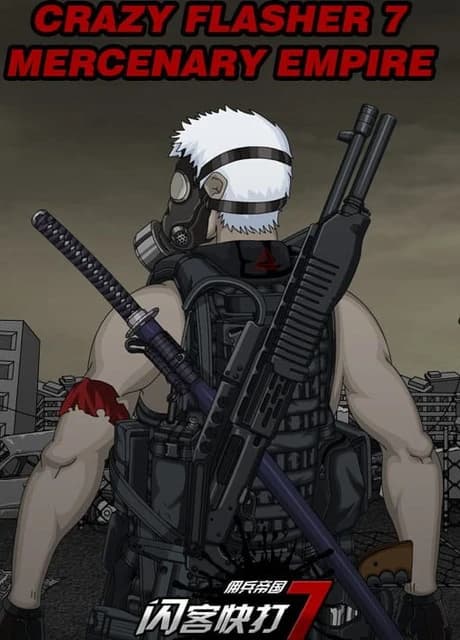
The end is coming, the zombies are rampant, the horizontal battle is refreshing, fighting, cold weapons, firearms, skills, mercenaries...retro graphics, classic old games from 2011 made by AndyLaw!
Role operation
Use the "W" "S" "A" "D" keys on the keyboard to control the character's actions in all directions.
Double-click "A" or "D" to run the character.
The attack key is "J" and the jump key is "K" (only in the empty hand and cold weapon mode
Can jump, the "K" key in the short gun mode is also used as an attack key, and the "K" key in the long gun mode has no effect)
Standing on an item and pressing the "J" key can make the character pick up the item.
Weapon switching number "1" is unarmed mode, number "2" is cold weapon mode, number "3" is pistol, submachine gun and other short gun mode, number "4" is long gun mode, number "5" is grenade mode.
The "R" key changes the magazine, and the "Q" switches the attack mode.
Click the NPC with the mouse to open the corresponding menu for trading, learning skills and other functions.
Weapon system
Weapon switching number "1" is unarmed mode, number "2" is cold weapon mode, number "3" is pistol, submachine gun and other short gun mode, number "4" is long gun mode, number "5" is grenade mode.
Unarmed combat
(1) Hold down "J" to make a set of combo punches.
(2) Press "K" to jump, and press "J" in the air to make a flying kick.
(3) According to the player's preferences, you can arrange the skills you need on the skill shortcut bar in the lower right corner. First change the skill icon under the "Skills" option in the "Inventory".
Drag to the skill shortcut bar at the bottom right corner of the game screen, and use the corresponding "Y" "U" "I" "O" "P" "[{" keys on the keyboard to use the skills.
Cold weapon combat
(1) Press "2" to change to cold weapon mode, press and hold "J" to kill with cold weapon.
(2) Press "J" in the running state to stab the enemy with the weapon in your hand.
Modern weapon combat
(1) Press "3" to change into short gun mode, you can equip the short guns of left and right hands at will, and press "J" and "K" to control the firing of left and right hands respectively.
(2) Press "4" to change to long gun mode, press "J" to fire.
(3) Press "5" to change to grenade mode, press "J" to throw the grenade.
(4) Except for grenades, all firearms can be replaced by pressing "R". Dual-wield firearms can replace 2 magazines at a time.
(But you need to pay attention to the remaining bullets in the previous magazine will be discarded when changing the magazine) Note: There will be an introduction to the weapon when the mouse is placed on the firearm
Different weapons need to use their corresponding magazines. The magazines not available in the game NPC can be purchased in the game store.
Equipment items
There are four icons at the bottom of the game screen, from left to right are the prop bar, task bar, music, and system settings.
Click the inventory icon to open the item equipment interface
As shown in the figure above, drag from the lower inventory (hold down the left mouse button on the selected item) and equip it to the corresponding position in the upper equipment area to equip the item. Click on the equipped item.
The small X in the upper right corner of the icon can remove the equipment. Food items such as HP potions, MP potions, and canned beef can be dragged to the shortcut bar at the bottom left of the screen.
Use the corresponding "7", "8" and "9" keys on the keyboard to facilitate the use of food items. Unnecessary props can be dragged to the trash can icon in the lower right corner of the interface to discard.
View task
Click the task bar icon at the bottom of the game screen to open the task information interface.
"My task" option can view the current task status and task details.
In the "Event log" option, you can view the completed tasks. The task status is divided into two states: in progress and completed. For tasks in progress, please follow the prompts in the detailed information.
(The task of prompting to obtain the item needs to return to the base after the specified item is picked up, otherwise the task cannot be completed)
After the task is completed, a prompt icon will appear in the lower right corner of the game screen. At this time, you can complete the task by looking for the NCP who completed the task. Take the next task while getting the reward.
Buy and sell items
Buy items: Andy Law (armor), The Girl (medicine food), Blue (groceries), Shop Girl (arms and ammunition) in the base
And Boy (ammunition) of the BPK team can buy and sell items. Talk to them (click on the character with the left mouse button)
Select the "Buy items" option to open the purchase item interface, click on the item you want to buy and click OK to buy and sell items:
While opening the purchase item interface, open the character inventory and drag the item you want to sell from the character inventory to the purchase item interface to sell items
Upgrading the system
At the bottom of the game interface, there is a set of gre
Screenshots
System Requirements
Minimum
OS: windows
Recommended
OS: windows7
Guides
Reviews
Genres
Role-playing (RPG)IndieAction
Features
Single playerIn-App PurchasesFamily Sharing
Languages
Simplified Chinese
Community Discussion
No reviews yet. Be the first to share your thoughts!