





What's LMD
The Lumen Management Device (LMD) is your main hub in LumenTale. It works like a high-tech menu that gives you access to important game information, online features, and collection tracking. You can open the LMD anytime by pressing ALT on PC, or View button with your gamepad.
Main Window#
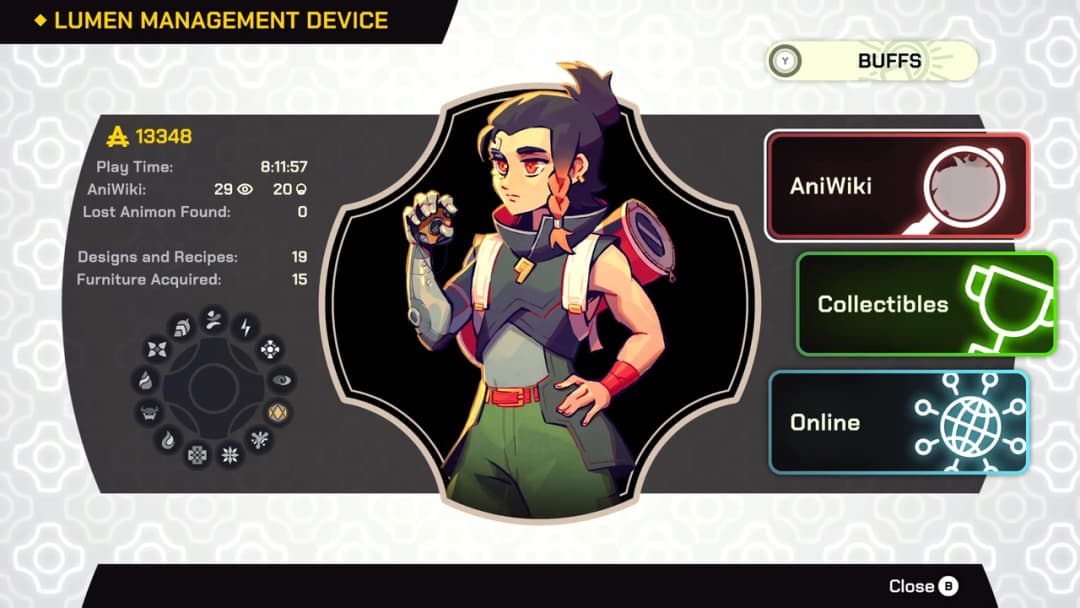
When you open the LMD, the Main Window appears first. This screen shows a quick overview of your progress:
Active Buffs: Current temporary bonuses (food, items, or event effects) affecting your team.
Game Statistics:
Total Playtime
Animon Discovered / Known
Lost Animon (Legendaries) Found
Recipes Collected
Furnitures Collected
This screen is very useful to quickly check how much progress you’ve made in your adventure.
Online#
The Online tab connects you to LumenTale’s multiplayer services. Here you can:
Play Quick Matches and Ranked Matches
Search for other players
Join or create Tournaments
Trade Animon with other players
Manage your Friends List
Check the global Leaderboard
View your Match History
Redeem Gift Codes
This section is where the multiplayer and community features of the game live.
Collectibles#
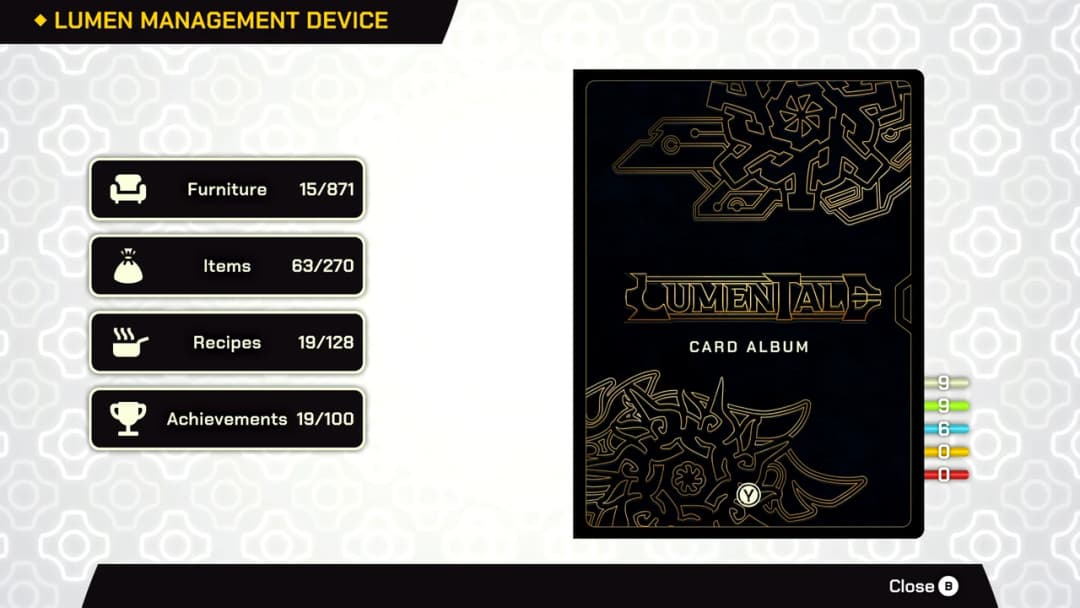
The Collectibles section is your personal collection tracker. It allows you to view:
Furnitures you have found and unlocked
Items and special objects
Recipes collected for crafting
Achievements and their progress
Card Album (digital cards of Animon and characters)
This tab is perfect for completionists who want to track everything they’ve gathered across Talea.
AniWiki#
The AniWiki is the in-game encyclopedia for Animon. It tracks:
All Animon you have discovered so far
Detailed information about each species (stats, types, evolutions, skills)
Whether you have caught or seen each one, or where they usually are.
As you scan and capture more Animon in the world, your AniWiki becomes more complete.
💡 Tip
Check the LMD regularly, especially the Main Window and AniWiki, to stay on top of your progress and goals.